A sanctuary for books
you already own.
Shellf is a calm, beautiful reader for the ebooks, comics and manga already sitting on your phone. It works with no internet, no account and no subscription — and if you run a Jellyfin server at home, it will quietly keep your library in step.
Android 7.0+ beta available now • iOS in active development
A look inside
Real screenshots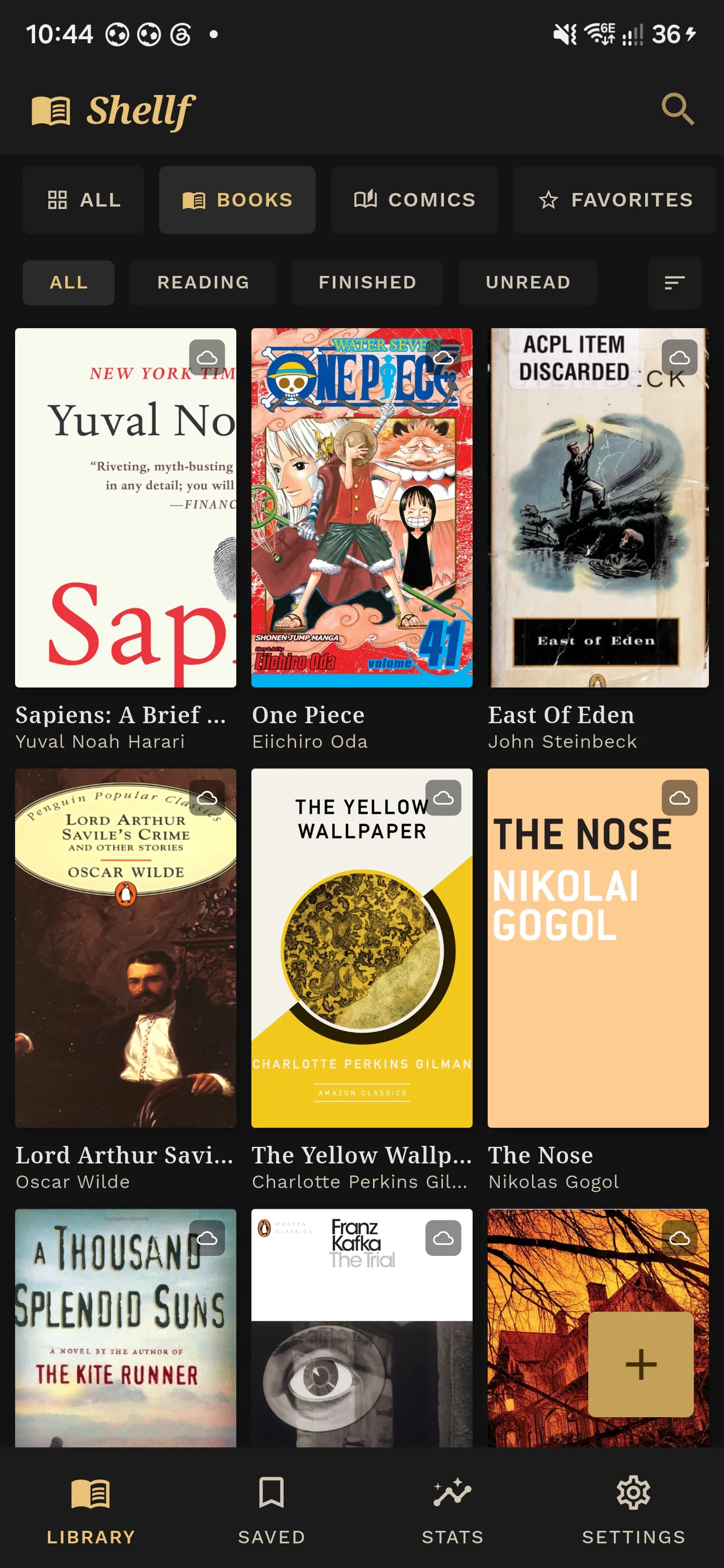
Books, comics and manga side by side — with covers, not filenames
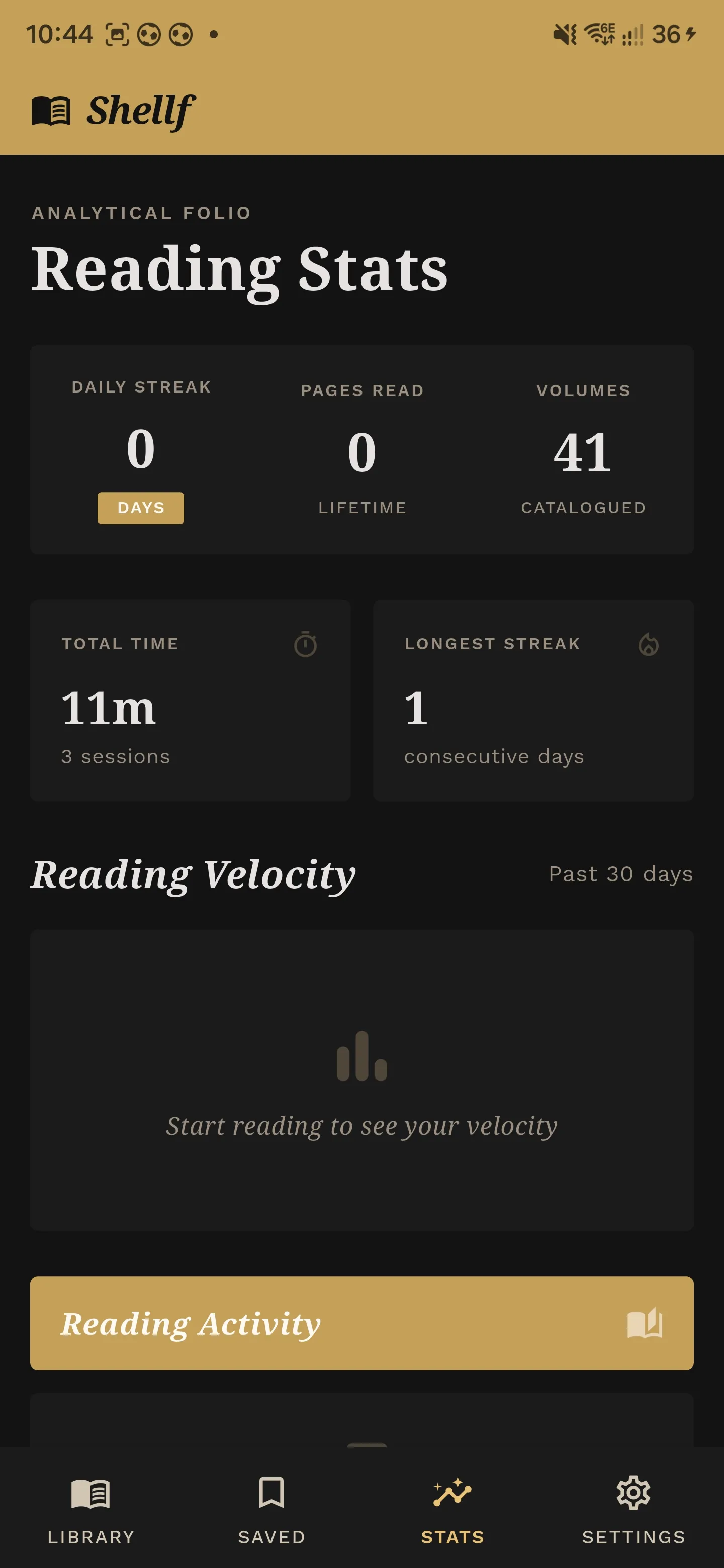
See your streak, pages read and time spent — kept private on your phone
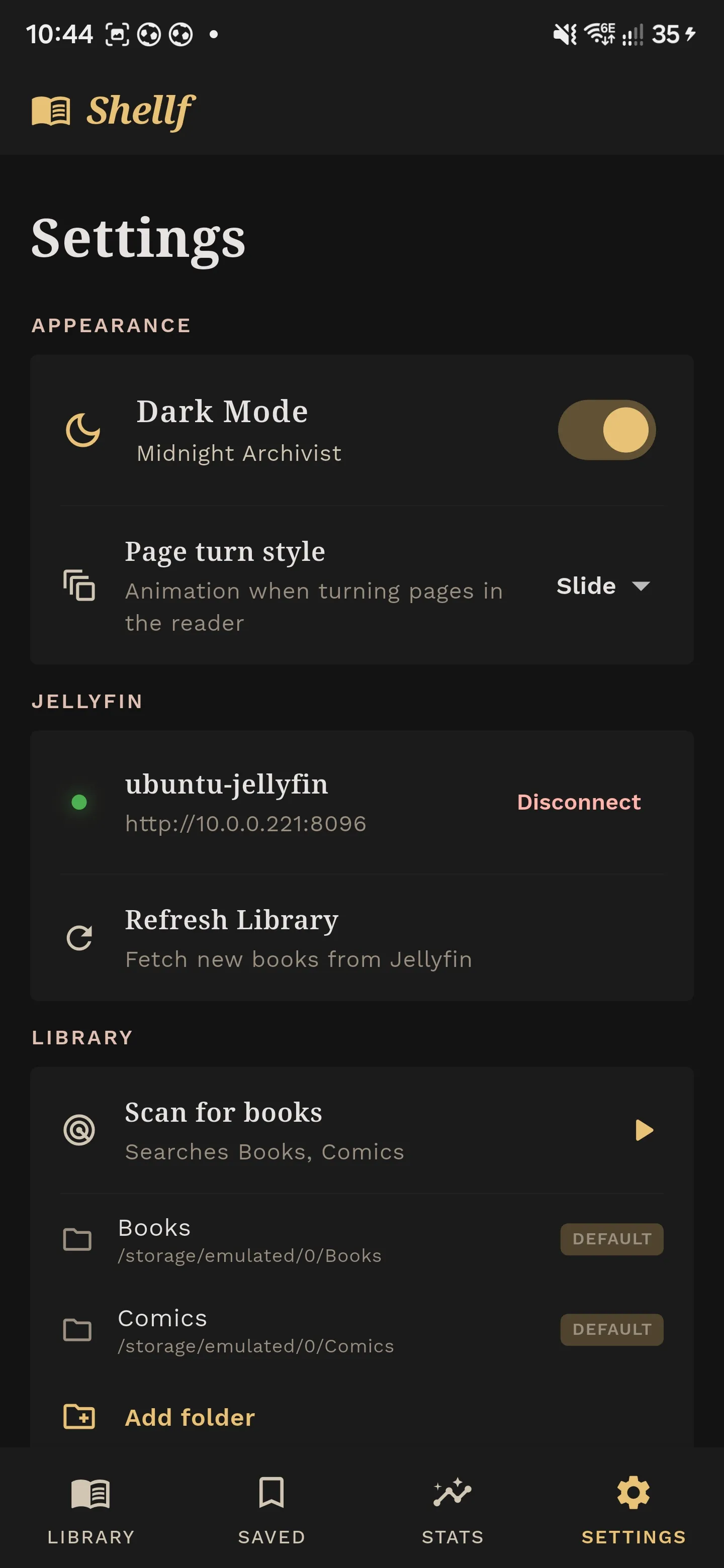
Point it at your book folders, flip on dark mode, connect Jellyfin if you have one
Built like a private study, not a streaming service.
Most reading apps rent you books you thought you had bought, then watch how you read them. Shellf makes three promises instead.
Your library is yours
Your books, covers, bookmarks and notes live on your phone — not in someone else’s cloud. There is no sign-up, no licence check, and nothing to lose access to if the company disappears.
Syncs with your own server
Already run Jellyfin or Calibre at home? Shellf picks up new books and remembers where you stopped reading, across every device. Nothing passes through us on the way.
Nobody is watching you read
No ads, no analytics, no crash reporting, no "anonymous usage data". What you read, how long you read, and what you highlight never leaves your phone.
It opens the file, even when the file is wrong.
Other readers throw up an error when a download has the wrong extension or a slightly broken table of contents. Shellf works out what the file actually is and opens it anyway.
EPUB
Novels and non-fictionSet your own font, size, spacing and margins — and override the publisher styling when a book insists on being unreadable. Chapter navigation always works.
CBZ, CBR & CBT
Comics and mangaPages stay in the right order, even when they are numbered oddly. Manga reads right-to-left, two-page spreads join up automatically, and webtoons scroll continuously.
Huge high-resolution scans stay smooth to flip through. Crop away wasted white margins so the page actually fills your screen, and invert the colours for reading at night.
MOBI, AZW & AZW3
Your old Kindle libraryOpen the files you downloaded years ago without running them through Calibre first. Drop them in a folder and they show up.
FB2
FictionBookIllustrations render properly and footnotes slide up from the bottom of the screen, so you never lose your place chasing a reference.
TXT & Markdown
Gutenberg books and notesPlain text files get chapter breaks detected for you, and the wall of legal boilerplate at the top of every Project Gutenberg download is quietly removed.
Easy on the eyes, easy on one hand.
Three reading themes for three times of day, page turns you can reach with your thumb, and five highlighter colours for the lines worth keeping.
“A room without books is like a body without a soul.”
Warm paper white with crisp black text. High contrast without the glare of pure white.
“The smell of old books is the smell of forgotten years.”
Softer, warmer and gentler on tired eyes. The closest thing to a well-read paperback.
“In the dark study, the only lamp illuminates the bound spine.”
A true black that saves battery on OLED screens and will not wake up whoever is next to you.
Tap to turn the page
No buttons in the wayFive highlighter colours
- Gold
- Blue
- Green
- Rose
- Violet
The Metamorphosis & Diaries
Franz Kafka, 1904“A book must be the axe for the frozen sea within us.”
Already run Jellyfin? Connect it.
Shellf is perfectly happy on its own. But if you keep your library on a server at home, the free companion plugin makes every device read from the same shelf — without handing anything to Amazon or Kobo.
Never lose your place
Stop reading on your phone, pick up on your tablet at the same sentence — even after changing the font size.
The whole library, none of the storage
Browse every book and volume on your server, and only download what you are actually reading. A thousand comics, and your phone stays empty.
Straight to your server
Your phone talks to your machine at home and nothing else. No middleman, no cloud account, no relay we can see.
- 1
Install the free Book Reader plugin on your Jellyfin server.
- 2
Open Shellf, tap Connect, and enter your server address.
- 3
Your books appear. From then on it keeps itself up to date.
Don't have a server? You will never see any of this. Shellf works the same without it.
Pay once, keep forever. Like books used to be.
No subscription, now or ever. The store is not open yet — join the list and you will get the Android beta straight away, plus the early-bird price the day it opens.
The open beta
Read your own books on it, and tell me what breaks. Odd manga spreads and messy Calibre libraries are especially welcome.
- The Android app, as soon as you sign up
- A private Discord to chat in
- Ask the person who built it anything
- iOS — not available yet
There is no iOS version yet. Android is what ships today. Choose iOS below and you will be first to hear when it is ready.
The early-bird price
Nothing is for sale yet. Join the list and your price is held at $9.99 for whenever the store opens — no card, no commitment, nothing charged today.
- $9.99 instead of $24.99
- Every future update included
- Works on all your devices
- The Jellyfin plugin, free
Questions people ask
Do I need a server to use Shellf?
No. Shellf works entirely on its own. Point it at a folder on your phone or SD card — or one that Dropbox, Drive or Nextcloud syncs down — and your books show up. Jellyfin is an extra for people who already run one.
What will Shellf cost?
A single payment of $24.99, with no subscription ever. Everyone on the early access list pays $9.99 instead when the store opens. Joining the list is free and commits you to nothing.
Why can I join the list but not buy yet?
Shellf is made by one person, and I'm not allowed to take payments where I currently live. Rather than collect money now and figure it out afterwards, the store stays shut until it can open properly. The app still goes out to testers in the meantime.
When is the iOS version coming?
There is no iOS version yet. Android comes first — that build is in open beta now — and iOS work starts after the Android 1.0 release. No date yet. Choose iOS when you join the list and you will hear the moment there is something to try.
Can I get my highlights and notes out?
Yes, any time. Export one book or your whole library as Markdown, plain text, or straight into Obsidian. Your notes are yours and should never be trapped in an app.
“Books are the treasured wealth of the world and the fit inheritance of generations.”— Henry David Thoreau